




Table of Contents
▼- Power BI Developer Resume Guide and Example
- Structure and Format to craft a perfect application
- 1. Header
2. Professional Summary
3. Skills
4. Experience
5. Education and Certifications- Common Mistakes to Avoid
- Final Checklist Before Sending Your Resume
- FAQs
- Q.1: What’s the ideal resume length for a Power BI Developer?
- Q.2: Should I include Power BI projects on my resume?
- Q.3: How should I describe certifications?
- Q.4: What’s the best file format to upload my resume?
Power BI Developer Resume Guide and Example
In today’s world, where business intelligence has become one of the most popular industries, a Power BI Developer can be a valuable asset to any organization. Power BI is a collection of software and applications that can turn unstructured or scattered data into a coherent format.
So, as the application suggests, a Power BI developer is responsible for turning raw, scattered information into insightful data optics, such as data processing, data analytics, data visualization, and more, for the benefit of the organization.
Furthermore, with the increase in data-driven decision-making, the market is getting extremely saturated. So, your Power BI Developer resume should not only highlight your technical skills but also your adaptability, business understanding, and analytical thinking so that the recruiter knows you know how to transfer your technical skills into the corporate world.
With this Power BI Developer resume guide by JobsCruze, you will know the exact tips and tricks you need to follow to craft a perfect resume that will make you a standout from all the competition.
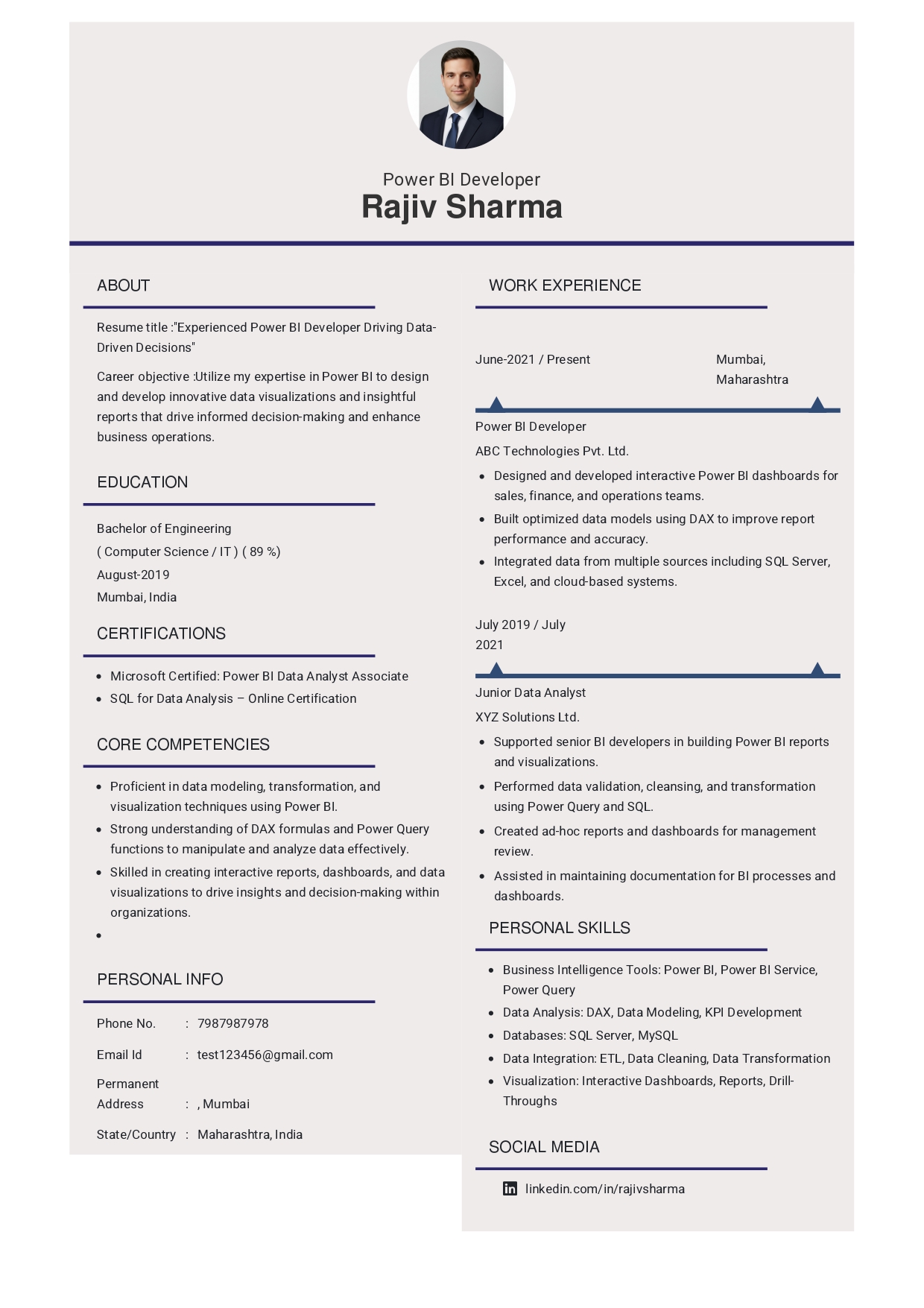
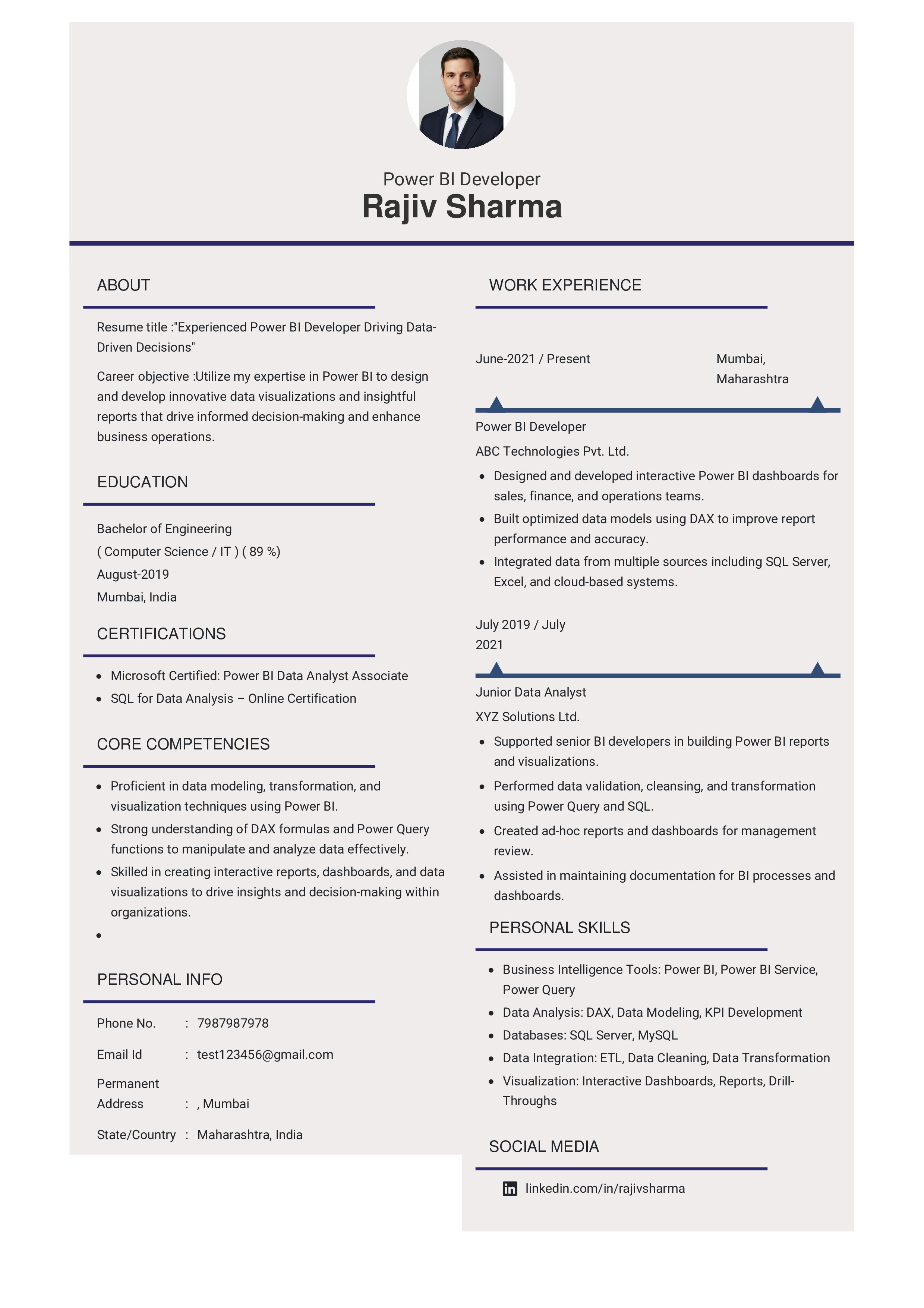
Structure and Format to craft a perfect application
No matter whether you are a fresher or hypothetically crafting a Power BI resume for 5 years experience, there is a professional format and template you need to follow. We have gotten you covered on the template side with our expertly crafted Power BI developer resume India templates. You can easily find the perfect template for the job you are targeting. Not only that, our active use of action verbs and professional structure will help you bypass the ATS systems that companies put in place to filter out the information.
Once you have selected the desired template, you can actually start writing your application, and we have provided you with the perfect Power BI developer roadmap for it.
1. Header
The first section of any resume application is the header section, which will consist of all your contact information. Include your full name, job title, contact number, professional email, and LinkedIn or portfolio link.
Example:
“Harsh Rana
Power BI Developer | Data Visualization Specialist
+91-9876543210 | harsh.rana@email.com | linkedin.com/in/harshrana”
2. Professional Summary
Don’t just simply treat this sentence like an introduction. Rather, this is your talent pitch where you have the chance to impress the recruiter with your experience, expertise, domain knowledge, and what you are bringing to the organization.
Example:
“Results-oriented Power BI Developer with over 3 years of experience designing interactive dashboards, writing complex DAX queries, and integrating multi-source data. Skilled at converting business requirements into visual insights that improve decision-making efficiency by 40%.”
3. Skills
Ideally, you should always tailor and customize your skills according to the Power BI developer job description so that the recruiter can see your research ability and attention to detail. However, there are a few technical skills that almost every company looks for:
- BI Tools: Power BI, Tableau
- Databases: SQL Server, MySQL, Azure SQL
- Languages: DAX, M, Python (basic)
- ETL Tools: Power Query, SSIS
- Other Skills: Data Modeling, KPI Reporting, Power Automate, Excel Dashboards
Bonus tips: If you are looking for Power BI jobs in Hyderabad, or Power BI jobs in Chennai, or any other specific place, you can tailor your skills according to what the region demands. Just like that, you will need to add other skills if you are looking for a Power BI developer remote job.
4. Experience
List all your experiences in reverse chronological order, from your latest job to the earliest. Mention your company, role, and position, and rather than listing down your responsibilities, try to list down your achievements so that you can present yourself as a result-oriented employee.
Example:
“Power BI Developer | Data corp Technologies | Jan 2023-Present
- Designed and deployed 25+ Power BI dashboards for finance and marketing departments.
- Automated weekly KPI reporting using DAX and Power Query, reducing manual work by 35%.
- Collaborated with business teams to create visually consistent and insightful dashboards aligned with KPIs.
If you have worked as a Power BI intern in any organization, that will also come under this section.
5. Education and Certifications
In a Power BI resume for freshers, this section will come before the experience. In fact, this section will become your focal point to show your foundational knowledge and zeal for the field. List all your educational qualifications again in reverse chronological order. Mention your universities, degrees, and even additional Power BI certifications.
Common Mistakes to Avoid
- Try not to overload your resume with technical jargon. Your experience and skills are enough to communicate your expertise in the field. So, adding unnecessary technical terms will only make the application unreadable, especially if the recruiter is not technically equipped in the same field.
- Never ignore measurable outcomes and quantifying your achievements. Numbers not only allow you to communicate more information quickly but also make it far more impactful.
- Try to keep away from fancy or overly decorated templates, as they might get stuck in the ATS system. Rather, JobsCruze's professionally crafted templates will work perfectly and will give you the exact platform you need to make an impression.
- Never submit your resume without relevant keywords. Do some research about the job description and add relevant action keywords so that your resume does not get filtered out and the ATS system pushes your application.
- Don’t neglect your soft skills. While your technical skills are essential, people also massively value communication, problem-solving, and business understanding skills in today’s world.
Final Checklist Before Sending Your Resume
- Keep the formatting, font, and structure consistent throughout.
- Try to take help from a neutral eye for proofreading. Your mind can sometimes ignore obvious mistakes, as you know what you have written. A different set of eyes can help you identify any mistakes.
- Always save your resume in PDF format unless mentioned otherwise.
- Quantify your achievements so that the recruiter knows your
FAQs
Q.1: What’s the ideal resume length for a Power BI Developer?
Ans: For freshers, one page is more than enough. If you are experienced, it can go upto two pages but not more than that.
Q.2: Should I include Power BI projects on my resume?
Ans: Yes. They demonstrate your hands-on skills and add business value to your application.
Q.3: How should I describe certifications?
Ans: Mention certifications under a separate “Certifications” or “Education” section. Always write the full certificate name and platform.
Q.4: What’s the best file format to upload my resume?
Ans: Unless mentioned otherwise, always save your application in Power BI resume PDF format to maintain the structural integrity across different platforms and OS.